Screenshots

csi-s3-archiver in action

What the driver looks like once it is running: The optional statistics page, and the command sequence from installing it to seeing a file appear in a bucket.

The statistics page#

Set S3A_WEBUI_PORT and the driver serves a read-only page: Uploads per hour and per day, bytes archived, retries, permanent failures with the S3 error that caused them, and per-node queue depth and volume counts. It is off unless the port is set.
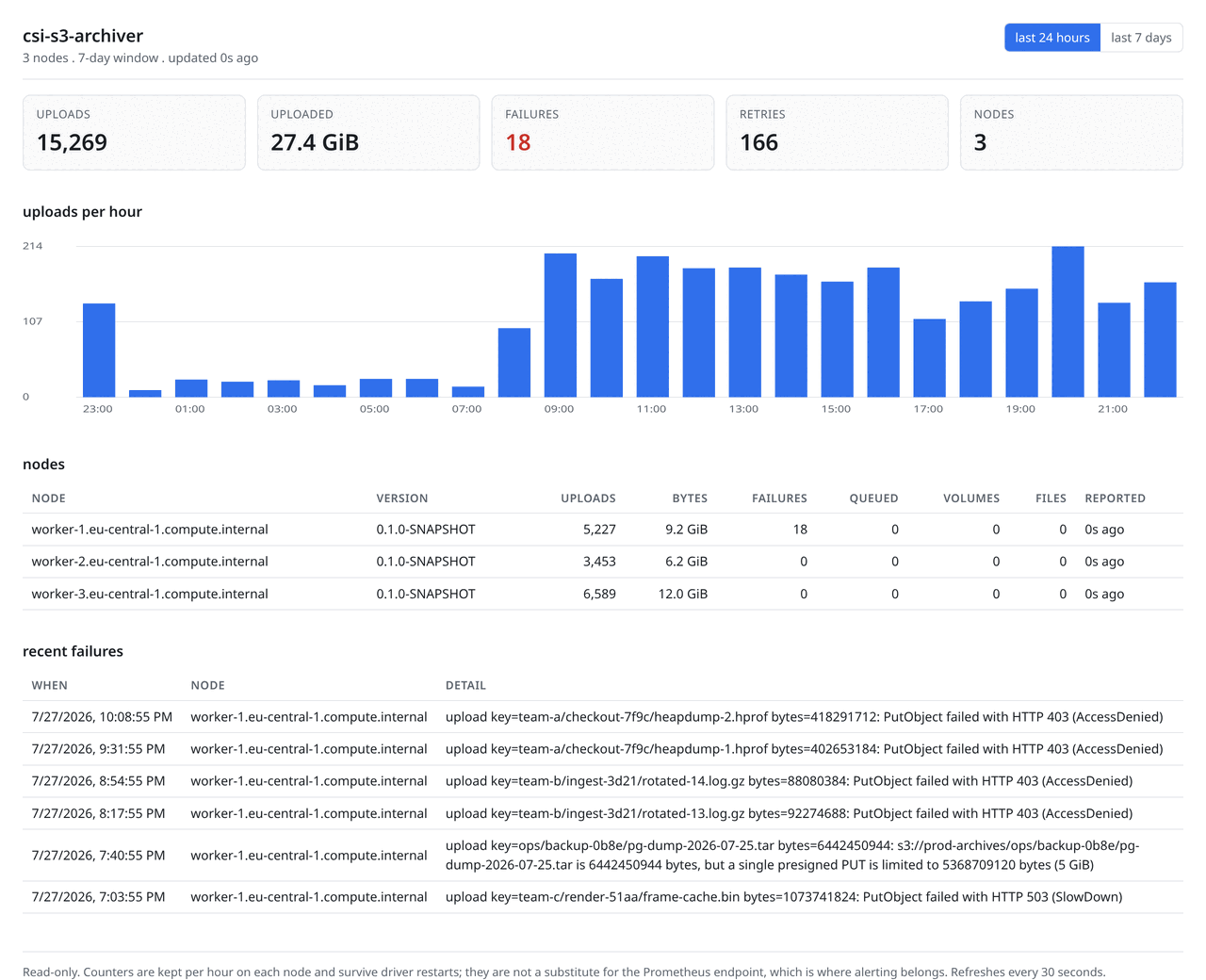
Screenshot of the csi-s3-archiver statistics page rendering a three-node cluster: Headline counters for uploads, bytes archived, failures and retries across every node; a bar chart of uploads per hour over the last day; a table of the three nodes with their individual totals; and a table of recent upload failures showing the object key and the S3 error.
One pod rendering the whole cluster: Uploads per hour, all three nodes with their own totals, and recent failures with their cause.

Point S3A_WEBUI_PEERS at a headless Service and any pod renders the whole cluster: Each one fetches its siblings and merges by node id. Discovery is plain DNS rather than the Kubernetes API, which is what keeps the driver's ServiceAccount empty. The capture above is three drivers on one network, aggregated by the one serving the page, which is also what the end-to-end suite asserts against a two-node cluster.
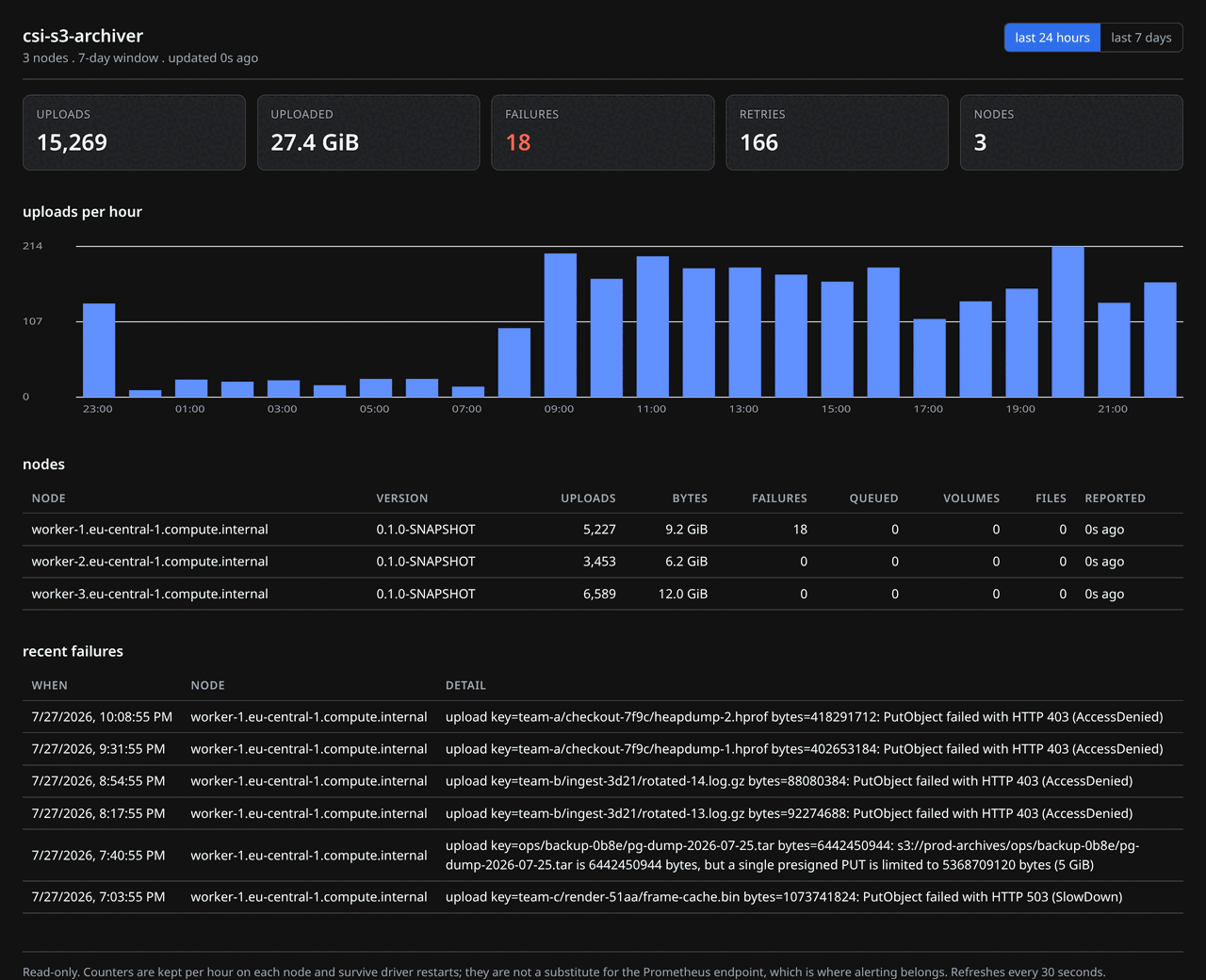
Screenshot of the csi-s3-archiver statistics page rendering a three-node cluster: Headline counters for uploads, bytes archived, failures and retries across every node; a bar chart of uploads per hour over the last day; a table of the three nodes with their individual totals; and a table of recent upload failures showing the object key and the S3 error.
The same page in dark mode. It follows the browser colour scheme.

Recordings#

Five short recordings of the command sequence: Installing the DaemonSet with kustomize, the same thing with Helm, archiving a file, shipping a growing log with appendStrategy: segments, and what a rejected attribute looks like.
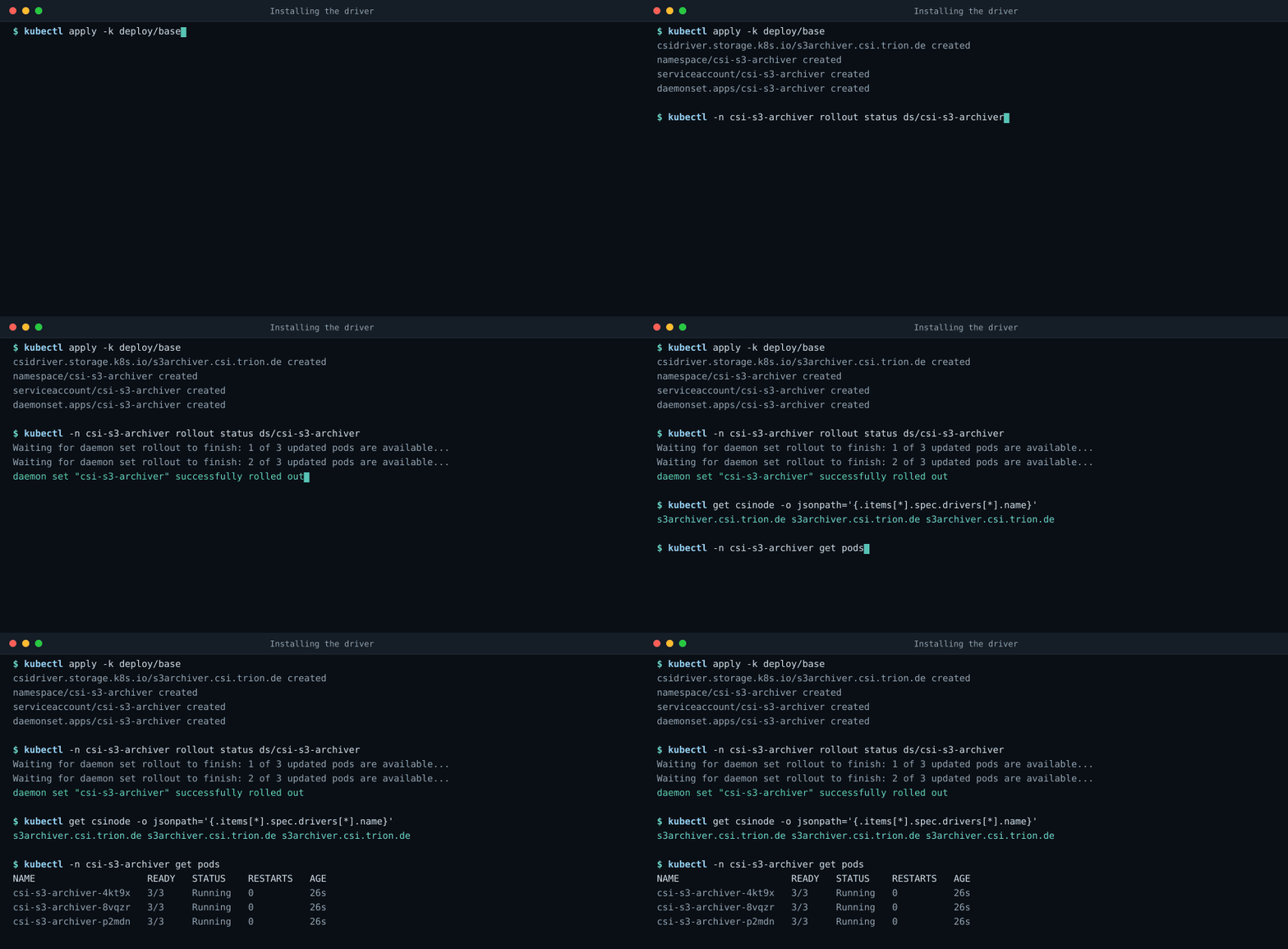
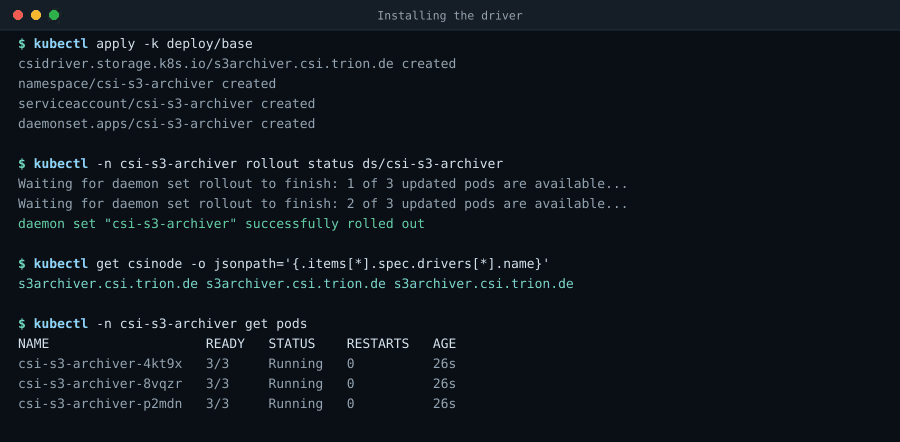
Terminal recording: kubectl apply -k deploy/base creates the CSIDriver, namespace, service account and DaemonSet; the rollout finishes across three nodes; kubectl get csinode shows s3archiver.csi.trion.de registered on every node.
Install: One kustomize apply, one DaemonSet, driver registered on every node. 13.7s loop, still image
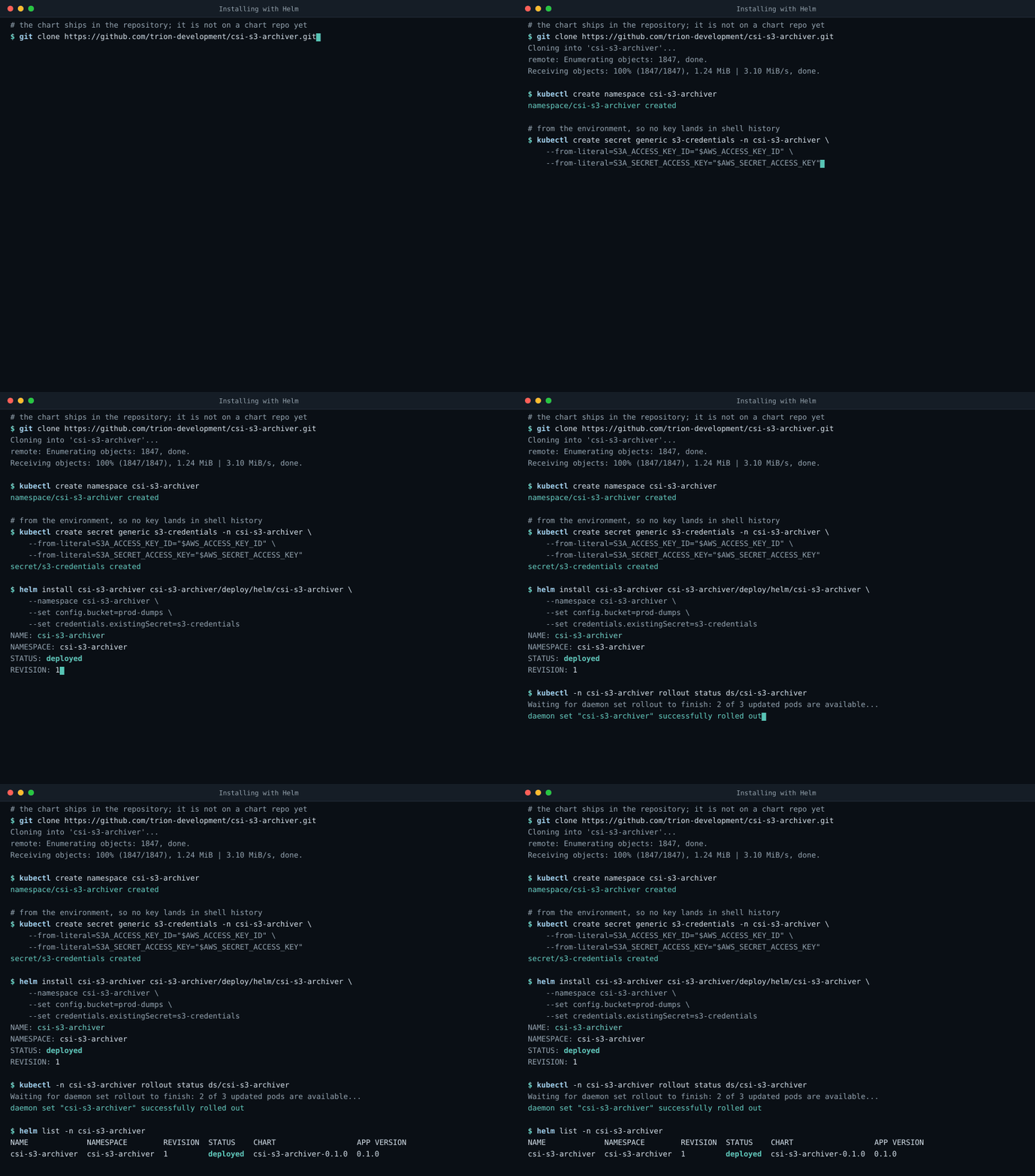
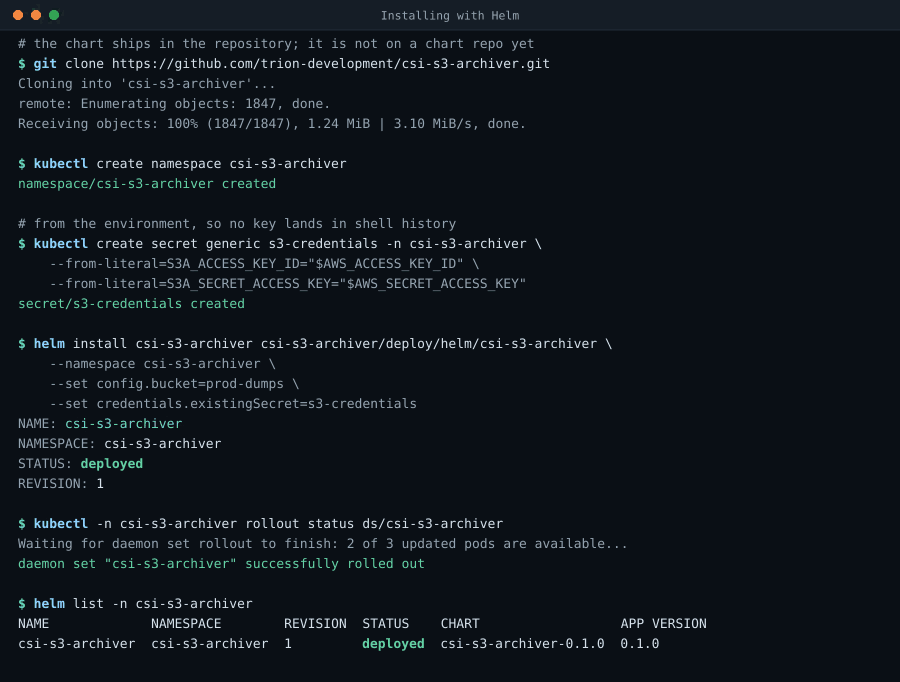
Terminal recording: git clone fetches the repository because the chart is not published yet; kubectl creates a namespace and a credentials Secret from environment variables; helm install deploys the chart from deploy/helm/csi-s3-archiver with the bucket and the existing Secret set; the DaemonSet rolls out; helm list shows the release deployed.
Helm: Clone, one Secret, one helm install, driver rolled out. 17.6s loop, still image
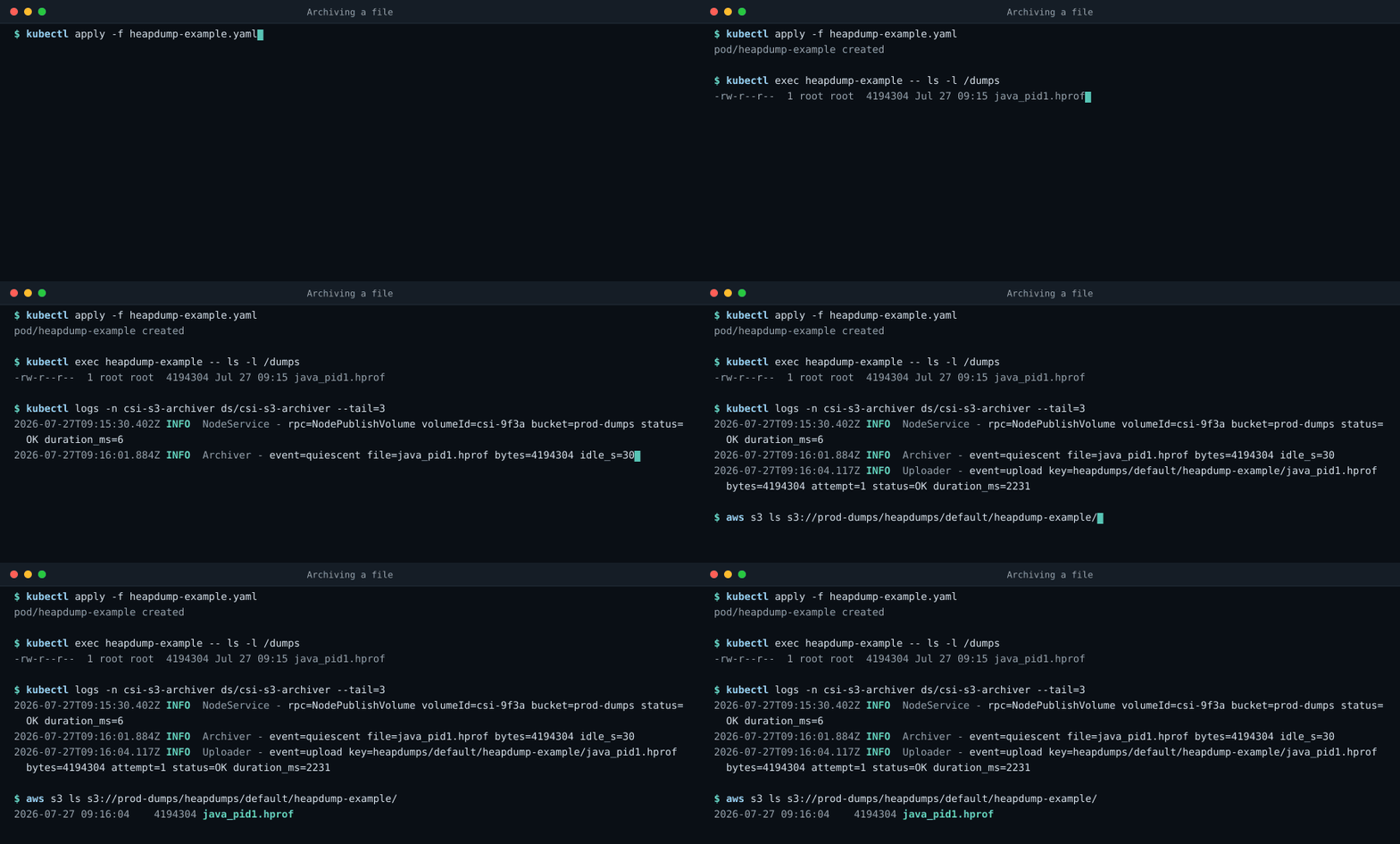
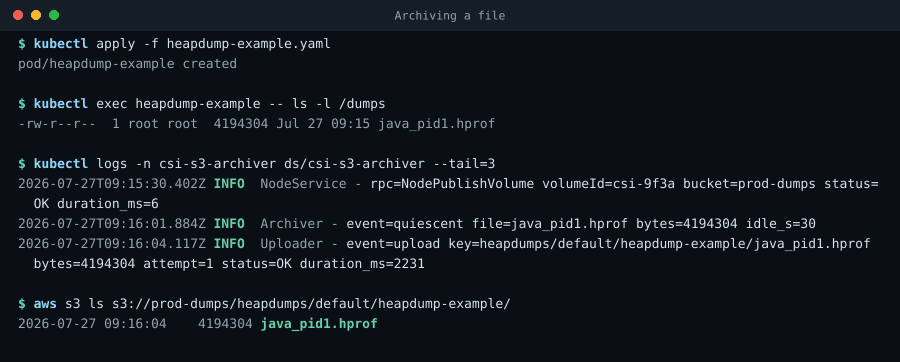
Terminal recording: a pod writes a 4 MiB heapdump into its CSI volume; the driver log shows the file going quiescent and being uploaded; aws s3 ls lists the finished object under heapdumps/default/heapdump-example/ in the bucket.
Archive: Write a file, watch it appear in the bucket. 14.4s loop, still image
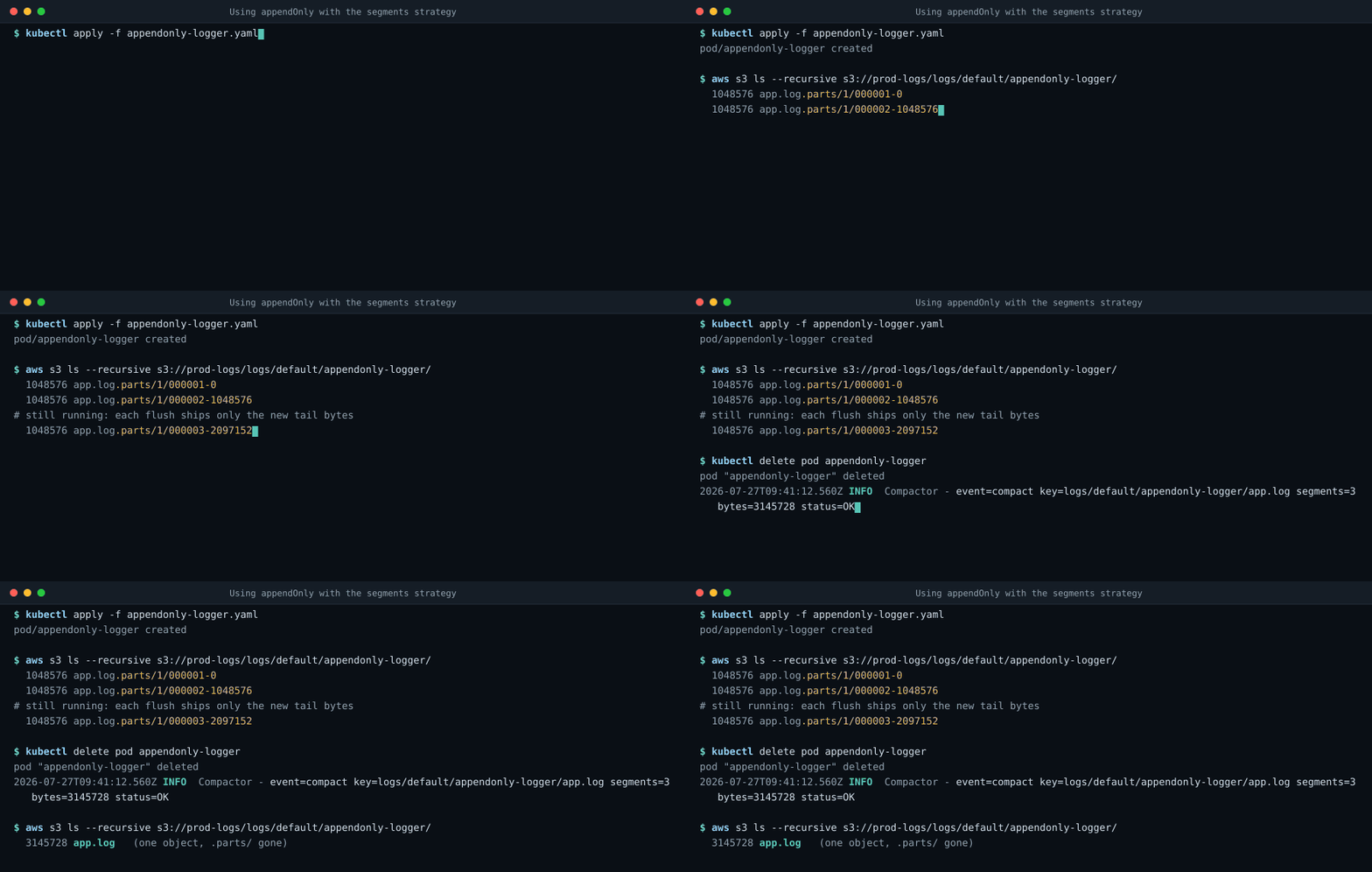
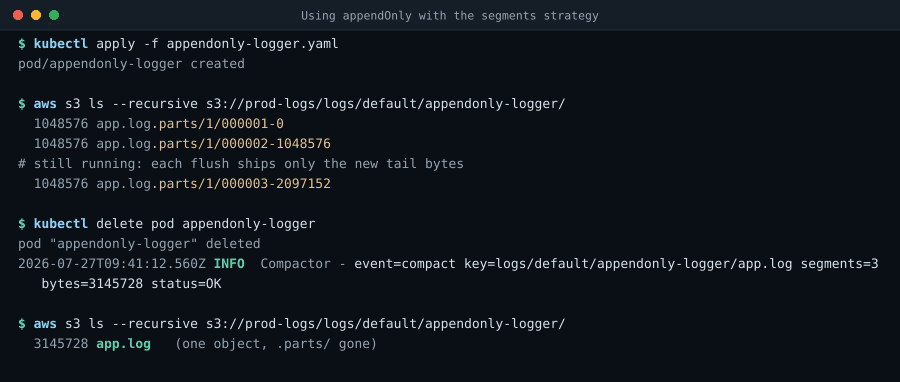
Terminal recording: an appendOnly volume using appendStrategy segments uploads tail segments under a .parts prefix while the log keeps growing, then compacts them into a single object at the canonical key when the pod terminates.
Append-only: Tail segments during the run, one clean object at the end. 16.3s loop, still image
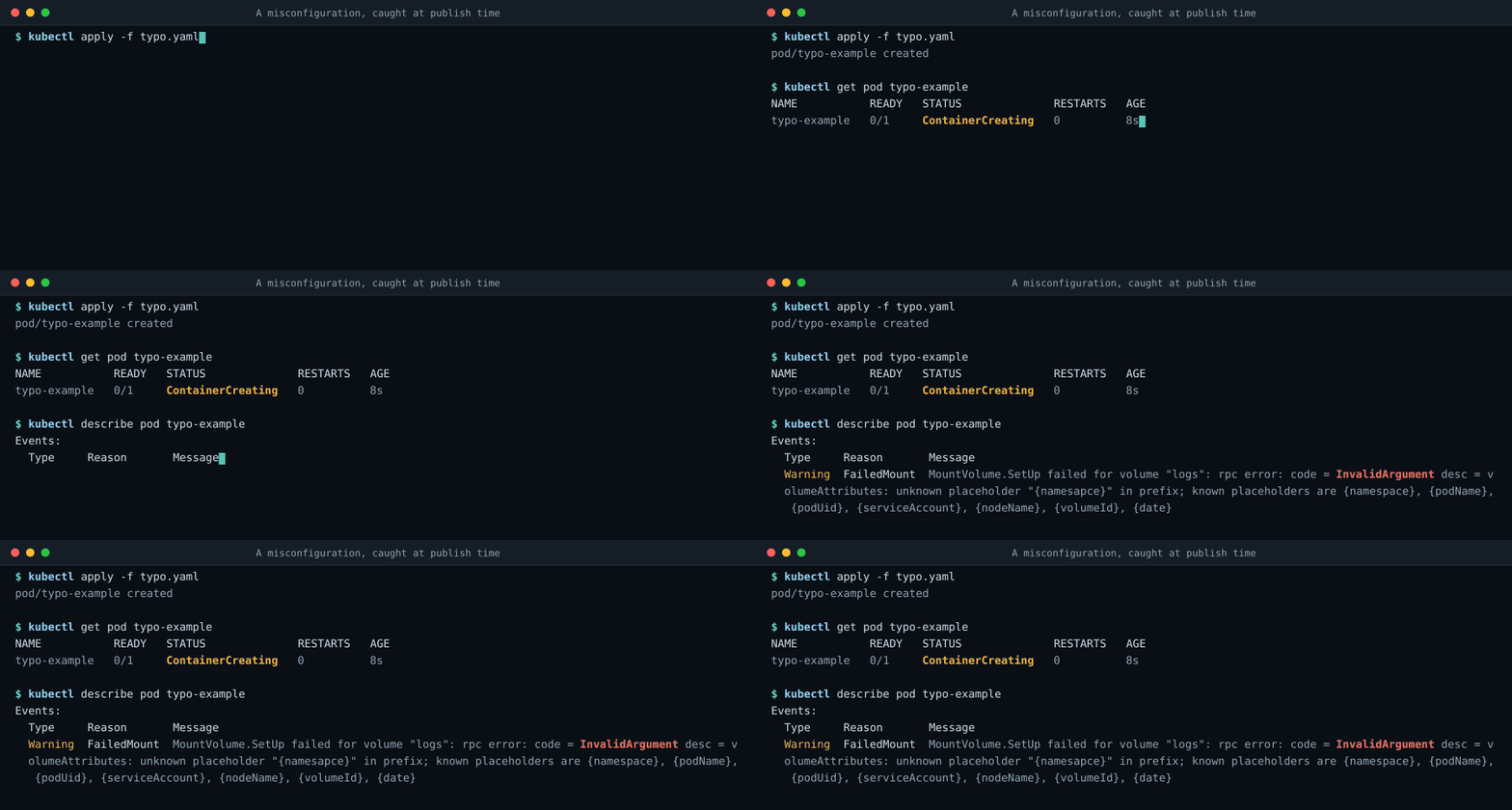
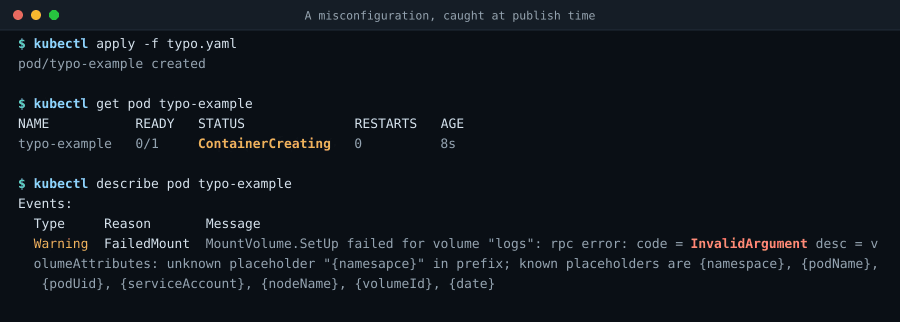
Terminal recording: a pod with a misspelled prefix placeholder stays in ContainerCreating, and kubectl describe pod shows the driver returning INVALID_ARGUMENT with a message naming the bad placeholder and listing the accepted ones.
Misconfiguration: The driver's own message, on the pod's own events. 10.6s loop, still image

These are scripted reproductions rendered from a checked-in script, not captures of a live cluster: The commands, the log format and the error text all come from the code, but no cluster was recorded. They will be replaced with real captures once the end-to-end suite runs a cluster on every build.